
Flore Technologies
Dee Jellie

Watch and play your Jellyfin library on Apple TV

Bring your Jellyfin Cinema to the living room — movies, TV, and Live TV on the big screen — with your music, Now Playing artwork, and Party Mode all right there.

iPhone iPad Mac Apple Watch Apple TV CarPlay
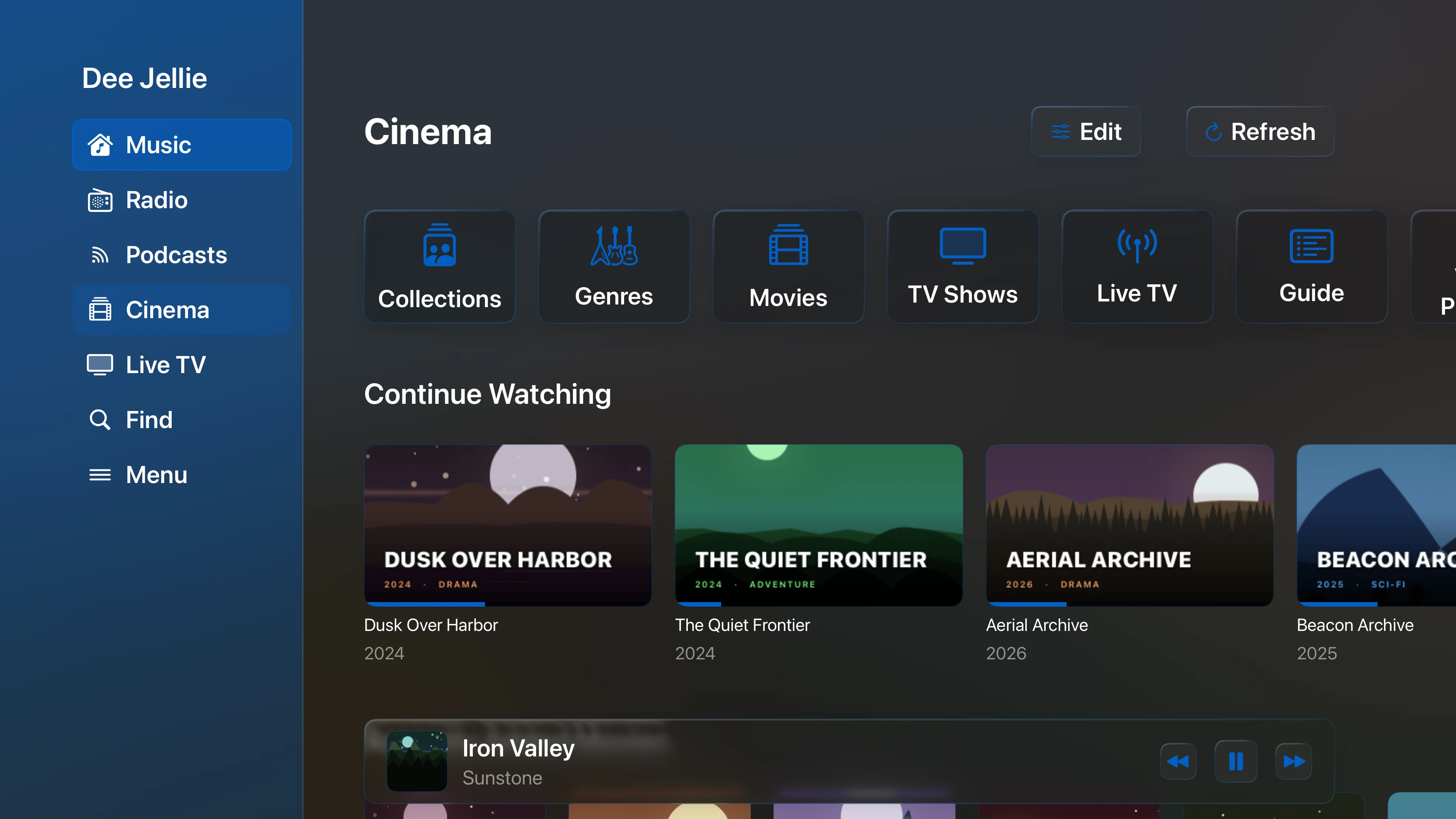
Dee Jellie Cinema home on Apple TV
Features

Your Jellyfin library in the living room

Watch movies, shows, and Live TV on the big screen, with posters and backdrops scaled for the room.

Browse and play your music too, with Now Playing artwork scaled for the room.

Use Party Mode so nearby devices can shape the shared queue.

Works alongside iPhone, iPad, Mac, Watch, and CarPlay installs.

Requirements

Compatibility and requirements

  • Requires your own Jellyfin server and account. No music is included.
  • Available for iPhone, iPad, Mac, Apple Watch, Apple TV, and CarPlay.
  • Some advanced themes, icons, EQ profiles, and Watch streaming require Supporter.
Questions

FAQ

Can I watch and play my Jellyfin library on Apple TV?

Yes. Watch movies, shows, and Live TV, and play your music, from the Apple TV interface, with artwork scaled for the room.

What is Party Mode?

Nearby devices on your iCloud account can add to and reorder the shared queue while Apple TV plays.

Do I need the same server?

Yes. Apple TV plays from the Jellyfin server and account you use across your devices.

Does it work with the rest of my devices?

Yes. It runs alongside the iPhone, iPad, Mac, Watch, and CarPlay versions from one purchase.

Is a subscription required?

No. Dee Jellie is a one-time purchase, with an optional Supporter upgrade.

Jellyfin Media

Dee Jellie

A native Jellyfin media player for iPhone, iPad, Mac, Apple Watch, Apple TV, and CarPlay. Play movies, TV, and Live TV alongside music, internet radio, podcasts, and audiobooks, with offline downloads, lyrics, EQ, and privacy-first sync.


Download on the App Store Download on the App Store